Apps to Identify Snakes: Free and Paid Options
Apps to Identify Snakes: Free and Paid Options
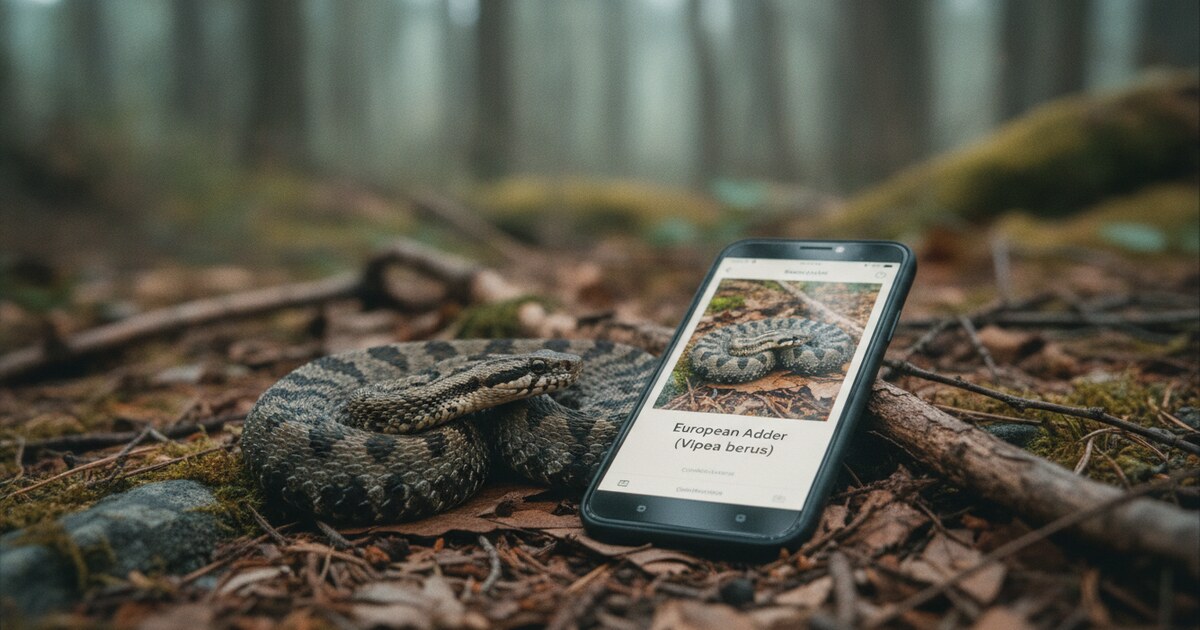
You’re on a trail when a snake holds its ground a few feet ahead. You can see the banding, a rough head shape, but you can’t tell if it’s a timber rattlesnake or a harmless milk snake. Your options used to be “back away slowly and hope” or “call a herpetologist.” A decent snake identification app on your phone gets you a species name, a venom risk note, and behavioral context in under a minute. The five apps below cover the range from completely free to expert-reviewed subscriptions, with honest notes on what each can and can’t do.
The best apps to identify snakes by photo are SnakeSnap (human expert review of venomous species), Seek by iNaturalist (completely free, real-time camera), and Animal Identifier (2 free AI IDs per day, covers all wildlife). AI apps return results in seconds. SnakeSnap’s expert team takes a few minutes but reviews every photo individually.
What to Look for in a Snake Identification App
Accuracy matters more for snakes than for most other wildlife because dangerous look-alikes are common. A copperhead and a young rat snake can look similar to anyone unfamiliar with either. The eastern coral snake and the harmless scarlet kingsnake share the same red-yellow-black banding with just the color order switched.
Beyond accuracy, the other things worth checking before downloading: does the app flag venomous species explicitly, does it use AI or human review, what’s actually free versus what requires a subscription, and does it work without a cell signal.
There are roughly 3,700 known snake species worldwide, with about 600 considered medically significant to humans. In North America, about 20 venomous species exist out of approximately 150 total: pit vipers (rattlesnakes, copperheads, cottonmouths) and two coral snake species (eastern and western). The challenge for any snake identification app is that several dangerous species have convincing look-alikes. The eastern copperhead (Agkistrodon contortrix) resembles the harmless hognose and young rat snakes at first glance. The eastern coral snake follows the “red touches yellow, kills a fellow” rule, but regional variants and the scarlet kingsnake (red touches black) cause genuine confusion. Lighting, angle, and partial views compound the difficulty further. Photo-based AI apps narrow a snake to its likely species in seconds; human-expert apps like SnakeSnap review each photo and return a confirmed identification. Neither method is 100% accurate from a single photo, and no app should substitute for Poison Control (1-800-222-1222) or emergency services if a bite occurs.
5 Apps to Identify Snakes
1. Animal Identifier: Best for Wildlife ID Beyond Just Snakes
Animal Identifier uses AI to identify snakes from a photo in seconds. You take or upload a picture, the app returns the species name, and you can then ask follow-up questions in a built-in chat: “is this venomous?”, “how do I tell it from a copperhead?”, anything else about that specific animal. The chat stays scoped to animals, so you won’t get irrelevant detours.
The free tier gives you 2 identifications per day with no account required. The app covers mammals, birds, reptiles, and insects alongside snakes, so it handles whatever you run across on a trail, not just snakes. No need to juggle multiple apps. It works on iOS and Android, needs a cell connection or Wi-Fi to identify (cloud-based AI), and doesn’t claim perfect accuracy. It won’t always nail a partial view of a patterned snake in poor light, but it narrows things quickly and the follow-up chat adds a layer most apps skip.
Best for: Hikers and nature explorers who encounter all kinds of wildlife and want one app instead of six.
2. SnakeSnap: Best for Venomous-Species Verification
SnakeSnap routes your photo to a team of human experts who review the image and send back an identification. You can submit up to 3 photos per snake, which helps when you only got one usable angle. The expert team identifies the species, confirms venomous or non-venomous status, and provides behavior notes and safety guidance through a private live chat.
That human review is the meaningful differentiator here. AI apps are fast but probabilistic; SnakeSnap’s team can account for lighting, partial views, and regional subspecies variation in a way an automated model may not. The tradeoff is speed: responses take a few minutes rather than seconds. The app is free for a 7-day trial (SnakeSnap Pro), then runs $3.99 to $29.99 per month depending on the tier. It has 4.4 stars from 776 ratings on the App Store. Developer: SnakeSnap Inc. Available on iOS and Android.
Best for: Homeowners or hikers who need a human expert to confirm a dangerous species before deciding how to respond.
3. Seek by iNaturalist: Best Completely Free Option
Seek is free with no in-app purchases and no usage limits. You point the camera at a snake and the app narrows the identification in real time as you hold the shot, drawing on millions of iNaturalist wildlife observations and adjusting its suggestions based on your geographic location. It has 4.8 stars from over 31,000 ratings on the App Store, the strongest rating and largest review count of any app in this comparison.
The main gap: Seek doesn’t provide venom risk or danger warnings. The App Store listing specifically notes this limitation. So Seek gives you the species name but leaves the safety assessment to you. For casual nature walks where you’re curious about what you spotted, it’s excellent. If you need a safety answer, take the species name from Seek and run a quick search on that species’ venom status.
Best for: Anyone who wants a free, no-commitment wildlife identifier and is comfortable doing their own safety research afterward.
4. Snake Identifier Reptile ID: Decent AI Option with Species Comparisons
Snake Identifier Reptile ID is an AI-based app that includes species comparisons and a personal log of past identifications. When you photograph a snake, the AI returns species information, habitat insights, and the option to compare similar-looking species side by side.
The app is free to download, with subscriptions at $4.99 per week or $29.99 per year for full features. It has 4.2 stars from 129 ratings on the App Store. User reviews point out inconsistent identifications of the same snake across different photo angles, and some note navigation issues with no home screen interface. Workable for casual lookups; just go in with realistic expectations about consistency.
Best for: Users who want to browse similar species side by side alongside their identification.
5. Snake ID: Safety-Focused AI Lookup
Snake ID leads with safety. When you photograph a snake, the app surfaces species information alongside safety guidelines and explicit alerts for venomous species. Identification results include confidence scores, so you can see how sure the model is rather than just getting a single answer. It covers reptile habitat, handling guidelines, and educational content.
The app is available on iOS and Android. Pricing details aren’t prominently disclosed on the Snake ID website, so check the app store listing before downloading if cost is a factor. The AI processes photos quickly and the emphasis on danger warnings makes it one of the more safety-conscious options in this group.
Best for: Users who want fast AI identification with safety alerts and explicit venomous species warnings built in.
How to Photograph a Snake for the Best ID
Any app struggles with a low-quality photo, so a few extra seconds on the shot pay off. The key elements to capture: the head shape (triangular vs oval is a rough indicator, not definitive), the body pattern and coloring, the tail tip if visible, and the overall length relative to something nearby in frame. Don’t get close. A 3-4 foot distance with the camera zoomed in gives more than enough detail for most identifications without putting you in range.
Multiple photos from slightly different angles help considerably. SnakeSnap allows up to 3 per submission specifically for this reason. Natural lighting works better than flash for accurate color rendering of scale patterns.
For similar breakdowns covering other taxa, see Apps to Identify Spiders and Best Caterpillar Identification Apps.
Which App Should You Use?
The answer depends on the situation.
If you crossed paths with a snake on a trail and want a quick species name with the option to ask follow-up questions, Animal Identifier or Seek by iNaturalist handles that comfortably. Both have free tiers.
If a snake is in your home or garage and you need someone with genuine expertise to look at the photo and confirm the species, SnakeSnap’s expert team is the right call. The subscription cost is real, but so is the peace of mind when potential danger is involved.
If you photograph all kinds of wildlife and don’t want a separate app for every taxon, Animal Identifier covers mammals, birds, reptiles, and insects in one place.
Frequently Asked Questions
Can an app reliably identify a venomous snake from a photo?
Photo-based apps can narrow a snake to its likely species, but accuracy varies with photo quality, angle, and lighting. AI apps return probabilities, not certainties. SnakeSnap uses human experts who handle edge cases better than automated models. No app replaces calling Poison Control (1-800-222-1222) or emergency services if you’ve been bitten.
What’s the best free app to identify snakes?
Seek by iNaturalist is free with no usage limits and 4.8 stars from over 31,000 reviews. Its main gap is no venomous species flagging. Animal Identifier gives 2 free identifications per day, covers snakes alongside other wildlife, and lets you ask follow-up questions after each ID. Between the two, Seek covers more casual use; Animal Identifier handles follow-up questions.
Do snake identification apps work without cell service?
The AI-based apps in this comparison (Animal Identifier, Snake Identifier Reptile ID, and Snake ID) all require an internet connection to process photos. Seek by iNaturalist has limited offline capability but its full accuracy depends on server-side processing. If you’re heading into areas with no signal, download a field guide app with a local species database as a backup.
How accurate are snake identification apps?
Accuracy is solid for well-lit photos of common species in their native range. Juvenile snakes (which often look different from adults), partial views, and regional subspecies cause more errors across all apps. SnakeSnap’s human experts handle these edge cases better than automated systems. For any safety-critical situation, treat an app identification as a starting point, not a final answer.
Animal Identifier is free to start: 2 identifications per day, no account needed. Download it from the App Store or Google Play to identify the next snake you encounter, and then ask it what the species eats and where it spends the winter.